
Klippain Shake&Tune Module
This Klippain "Shake&Tune" repository is a standalone module from the Klippain ecosystem, designed to automate and calibrate the input shaper system on your Klipper 3D printer with a streamlined workflow and insightful vizualisations.

It operates in two steps:
- Utilizing specially tailored Klipper macros, it initiates tests on either the belts or the printer X/Y axis to measure the machine axes behavior. This is basically an automated call to the Klipper
TEST_RESONANCESmacro with custom parameters. - Then a custom Python script is called to:
- Generate insightful and improved graphs, aiding in parameter tuning for the Klipper
[input_shaper]system (including best shaper choice, resonant frequency and damping ratio) or diagnosing and rectifying mechanical issues (like belt tension, defective bearings, etc..) - Relocates the graphs and associated CSV files to your Klipper config folder for easy access via Mainsail/Fluidd to eliminate the need for SSH.
- Manages the folder by retaining only the most recent results (default setting of keeping the latest three sets).
- Generate insightful and improved graphs, aiding in parameter tuning for the Klipper
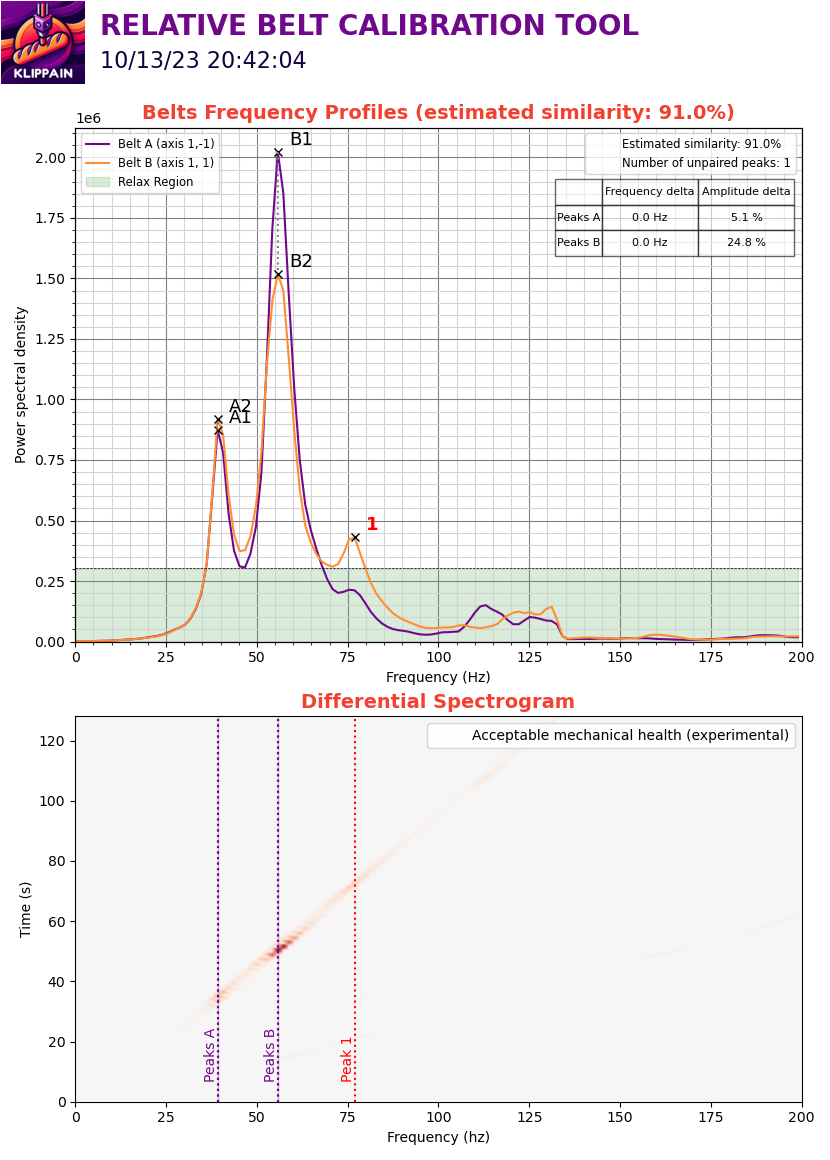
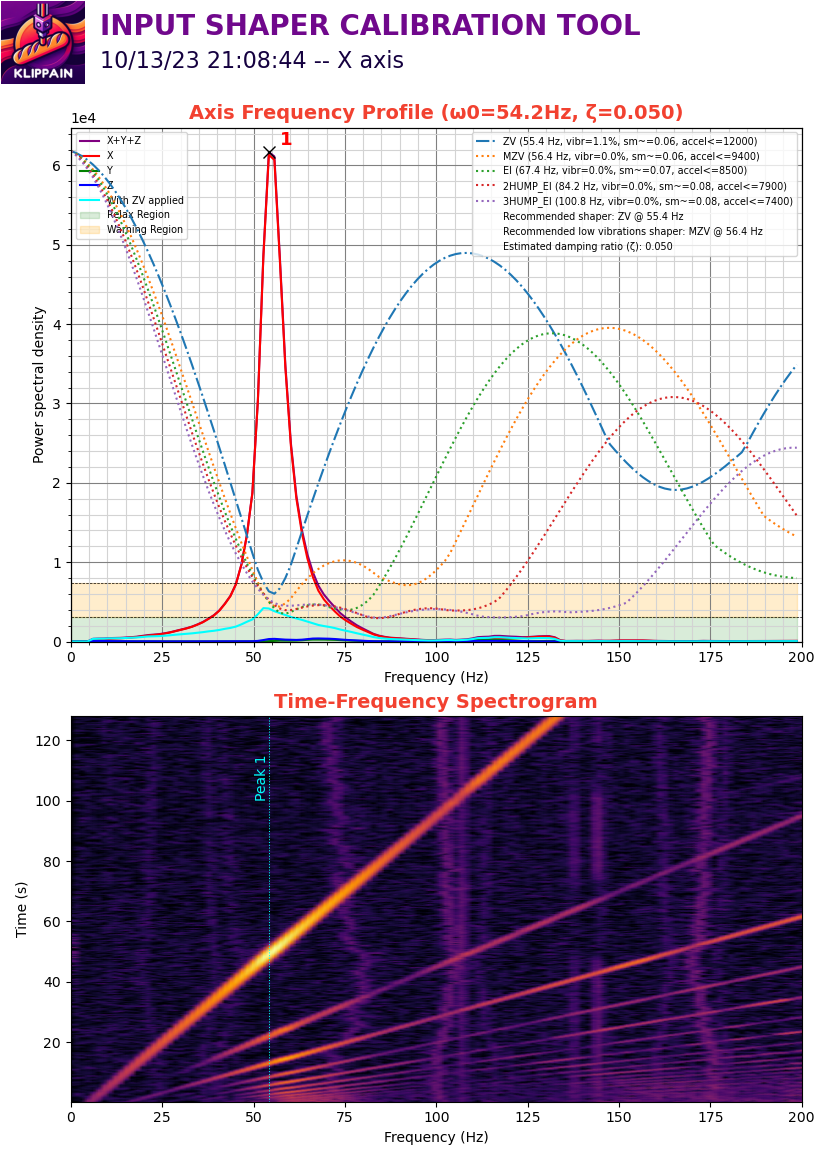
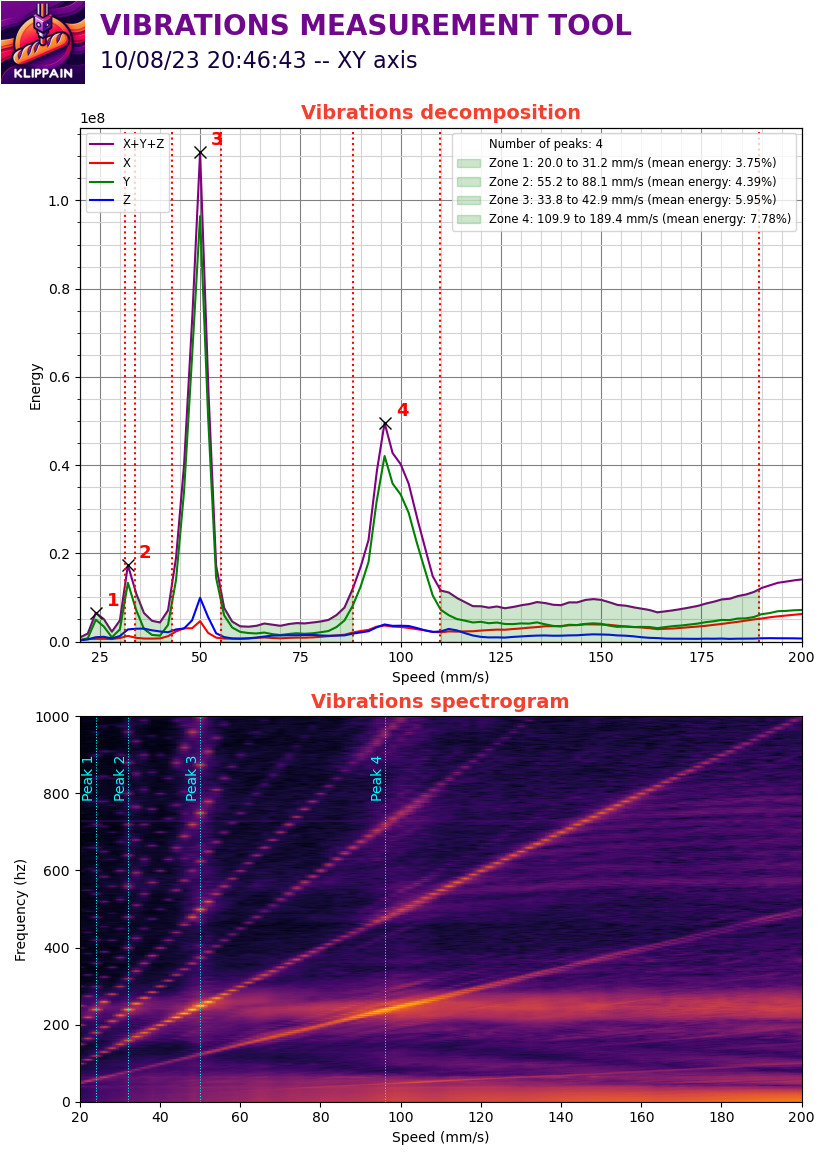
Check out the detailed documentation of the Shake&Tune module here. You can also look at the documentation for each type of graph by directly clicking on them below to better understand your results and tune your machine!
| Belts graph | Axis input shaper graphs | Vibrations graph |
|---|---|---|
 |
 |
 |
Installation
Follow these steps to install the Shake&Tune module in your printer:
- Be sure to have a working accelerometer on your machine. You can follow the official Measuring Resonances Klipper documentation to configure one. Validate with an
ACCELEROMETER_QUERYcommand that everything works correctly. - Then, you can install the Shake&Tune package by running over SSH on your printer:
wget -O - https://raw.githubusercontent.com/Frix-x/klippain-shaketune/main/install.sh | bash - Finally, append the following to your
printer.cfgfile and restart Klipper (if prefered, you can include only the needed macros: using*.cfgis a convenient way to include them all at once):[include K-ShakeTune/*.cfg] - Optionally, if you want to get automatic updates, add the following to your
moonraker.cfgfile:[update_manager Klippain-ShakeTune] type: git_repo path: ~/klippain_shaketune channel: beta origin: https://github.com/Frix-x/klippain-shaketune.git primary_branch: main managed_services: klipper install_script: install.sh
Note
:
If already using my old IS workflow scripts, please remove everything before installing this new module. This include the macros, the Python scripts, the
plot_graph.shand the[gcode_shell_command plot_graph]section that are not needed anymore.
Usage
Ensure your machine is homed, then invoke one of the following macros as needed:
AXES_MAP_CALIBRATIONto automatically find Klipper'saxes_mapparameter for your accelerometer orientation (be careful, this is experimental for now).BELTS_SHAPER_CALIBRATIONfor belt resonance graphs, useful for verifying belt tension and differential belt paths behavior.AXES_SHAPER_CALIBRATIONfor input shaper graphs to mitigate ringing/ghosting by tuning Klipper's input shaper system.VIBRATIONS_CALIBRATIONfor machine and motors vibration graphs, used to optimize your slicer speed profiles and TMC drivers parameters.EXCITATE_AXIS_AT_FREQto sustain a specific excitation frequency, useful to let you inspect and find out what is resonating.
For further insights on the usage of these macros and the generated graphs, refer to the K-Shake&Tune module documentation.